The Freelancer’s Mobile Office: Systems and Tools Every Freelancer Needs
Published: October 26, 2021 | Last updated: August 25, 2026
If you’re just getting started as a freelancer, this page is for you.
There’s no shortage of tools, and everyone has an opinion on which are the best. I’m not here to overwhelm you with a laundry list of every app that exists. What I’ve put together here is what actually works: the systems and tools every freelancer needs in place, regardless of the work they do or where they live. Some are free. Some cost money. I’ll tell you which is which.
Start with the basics. Add as you grow. That’s it.
Your Basic Business Systems
Which one you choose depends on the type of business you have. If you’re starting, keep it simple! No single piece of software or tool is perfect, so find ones that are easy for you to navigate and meet most of your needs. Go down the path of least resistance!
You Need a Lead Generation System
How will people find you? Time to set up your home on the interwebs. You don’t wanna stay on borrowed space that can go *poof* tomorrow.

Website
This is your home on the interwebs. Looking for a free one-page website or landing page to get started? Check out Carrd. There is a pro plan that’s pretty cheap if you need more features. Another is TidyCal. It has a feature to enable a one-page website layout. Get bookings, sell services and digital products in their new shop feature! Otherwise, consider building your online presence with WordPress. Don’t forget to choose a great host! Bluehost is an affordable and great option if you don’t need extensive hosting. Kinsta is a better one as it can handle your business growth.

Landing Page
Carrd can also be used to build a landing page. Your email marketing tool will probably have a landing page builder. If you want to start your landing page without a website, I suggest you look into Leadpages.
If Carrd or TidyCal are more than you need, you can also look at Bio.Link a Linktree alternative.
Email Marketing
There are plenty of email marketing providers to choose from. I started with MailerLite because it was easy to use and packed with many features for the price. I tried ConvertKit (now Kit), which was okay, but the last time I checked, the free version didn’t include automation. What’s the point?! Drip, I didn’t care for at all. I also dipped my toes into Flodesk, but found it more design-oriented, with less robust features. Who cares if your emails look good if nobody reads them?

Social Media
You can start here, but don’t build your entire lead gen strategy on borrowed land. The platform blackouts and shutdowns over the years, including the 2025 TikTok situation, were a reminder that you don’t own your audience on someone else’s platform. Social media is a side dish, not the main course.
If you’re going to show up on social, be intentional about which platforms actually make sense for your business and your people, and make it easy on yourself.

You Need A Calendar System
This might be included in your task management system (next section), but if it isn’t, or if you’re just starting and need something simple, there’s nothing wrong with a good ol’ calendar.

Google Calendar
When in doubt, keep it simple.
Acuity Scheduling
Want to offer clients a simple way to book time with you without playing phone or email tag? Acuity Scheduling is it. Squarespace owns it, so they work well together.
TidyCal
If you’re on a tight budget and need a booking plugin, look at TidyCal. It lets you sell, book, and run group Zoom and Google Meet sessions, making it perfect for online course creators and consultants just starting out.

🚨 TidyCal is adding a 1% fee on paid bookings, starting August 28th, 2026. 📊
By default, that 1% is deducted from your client's total. 💳 Your take-home doesn't change. 💰 Flip it if you'd rather cover it yourself. ⚙️
Free users get it tacked on automatically. 🤷🏻♀️
Pro at $10/month never sees the charge. 💳
You Need A Task Management System
Organize your projects and tasks.
ClickUp
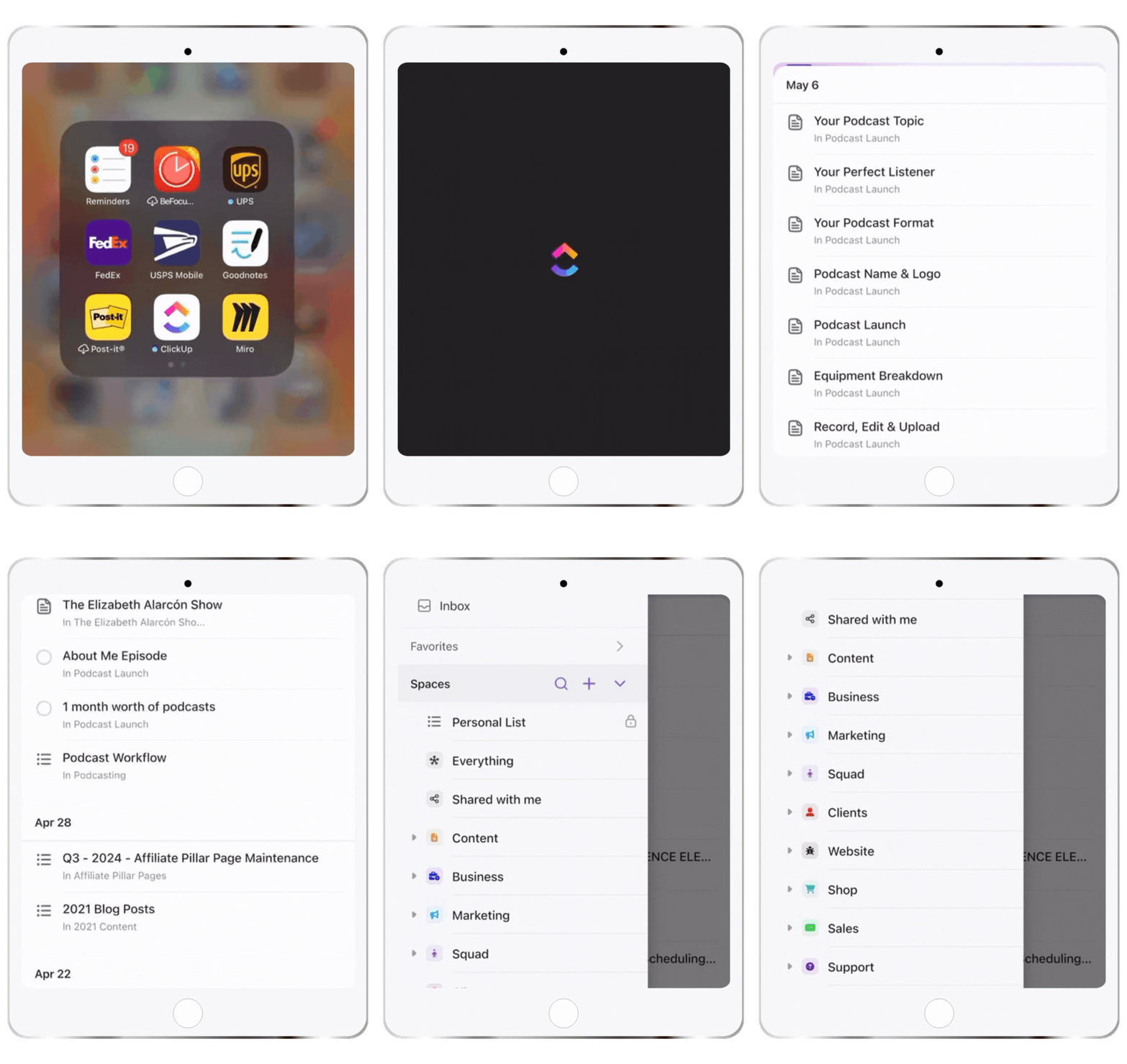
I love ClickUp. Use the integrations and automation to set that thing on fire! It has a bit of a learning curve, but if you’re moving from Asana, you can pick it up quickly. For me, if it isn’t in ClickUp, it ain’t getting done!

Asana
Asana is the O.G. in the game. Similar to ClickUp.
Trello
If you’re starting out and easily intimidated by new software, consider Trello. Although it isn’t as feature-heavy as Asana or ClickUp, it gets the job done. I started with Trello, spent about 2 years there, then moved to Asana, and ultimately landed on ClickUp.
*Paper or digital planner
Paper and digital planners still work! At least the last time I checked, anyway. My favorite app for digital planners is GoodNotes. It makes it easy to export your notes as PDFs for later use.
* I use a paper planner + a whiteboard before migrating the final draft of the schedule to ClickUp. it just makes things easier for me. This one by Blue sky is inexpensive and not full of clutter.
You Need A Contracts and Signatures System
You need a contract before you do a single thing for a client. Not after. Not when it “feels serious enough.” Before. This is non-negotiable.
BreezeDoc
BreezeDoc makes getting contracts signed straightforward. There are already over 50 contract templates built in, and you can send invoices and collect payment directly through the platform, too. If you’re just starting out and not ready to invest in a full CRM, BreezeDoc + TidyCal is a solid free-to-low-cost setup to get you moving.
Contract Club®
For contracts that are actually legally iron-clad, you want templates written by a real attorney. That’s where the Contract Club comes in.

You Need A Customer Relationship System
Unless you want to determine whether a contract has already been sent, whether an invoice has been paid, or the status of any project, I suggest you look into a CRM (customer relationship management system). You’ve got better things to do with your time.
Dubsado
This all-in-one system is perfect for anyone who wants a super customized look. Dubsado can easily replace many apps, so you don’t have to worry about using Zapier and hoping everything works. It has a bit of a learning curve, but you will be rewarded with a fantastic tool to save time.

Honeybook
Another great all-in-one system that is great “out of the box.” Easy to set up.
Both Dubsado and Honeybook ARE all-in-one systems. YOU CAN CAPTURE LEADS, SCHEDULE CLIENT MEETINGS, SIGN CONTRACTS, send invoices (and process payments) and set up client portals. The differences are minor and it comes down to personal preference.
You Need A Financial System
You’ve done the work, and now you need to get paid. And more importantly, you need to track your expenses and all other financial gremlins.
You Need An Invoicing and Payment System
Stripe
Send invoices and get paid with Stripe. It’s pretty straightforward and works well with eCommerce platforms and schedulers such as Acuity Scheduling, Dubsado, and HoneyBook.
Square
Stripe and Square can do this, but they are used slightly differently. With Square, you can use a card reader and turn your smartphone into a payment terminal. This is a great way to start if you plan to sell services or products but don’t have a website set up yet. I use Square for those one-offs and Stripe for everything else.

Did you know that Square now offers Tap to Pay on iPhone?! It's easy to set up.
📲 Click here to learn how to set up your iPhone.
BreezeDoc
Already mentioned above in contracts, but worth noting here too: BreezeDoc now supports invoicing and payments. Note that BreezeDoc processes payments only through Stripe, so you’ll want to set that up first. If you’re just getting started and keeping overhead low, it’s worth knowing that option exists.
You Need An Accounting System
Quickbooks
Another O.G. in the game. QuickBooks just works.
Freshbooks
FreshBooks is an excellent alternative to QuickBooks. It is a cloud-based software with many features comparable to Honeybook and is perfect for freelancers.
Xero
Xero is another QuickBooks alternative. Where FreshBooks caters to freelancers, Xero caters to product and service-based businesses that need a more comprehensive solution without the QuickBooks price.

You Need A Client File Delivery System
Now, you need to deliver those to your client quickly.
WeTransfer
WeTransfer is a quick way to transfer large files. The free version allows you to send up to 3GB of data per month and up to 10 transfers via email or a link that automatically expires in 3 days.
Dropbox
Dropbox has come a long way! The free version gets you 2GB of storage, and sharing files is easy. Of course, there are several plans to fit your needs. Also, did you know you can now sell digital files directly from Dropbox? This is perfect for someone who doesn’t need a full eCommerce store setup.

If you’re a photographer and need your clients to proof files first or buy prints directly from you, use a dedicated gallery like Cloudspot, PicReel, Pixieset, or Shootproof. I have Cloudspot set up.

Your New Business Address
Anytime Mailbox
Unless you’re trying to dox yourself, you’ll need a business address. I use Anytime Mailbox, which lets me access a virtual mailbox from an app anywhere.

Your Basic Office Tools
A dedicated home office can help you determine what to take when traveling. The following is roughly what I bring when I travel for work.
Choose a tote or backpack
Don’t overthink this one. Either you’re a tote person or a backpack person. If you’re indecisive like me, get both. 🙂
Tote
Get a good, sturdy black leather tote with minimal (or no) gaudy logos. It’ll look profesh and will take you far. I’m still rocking a Zara one (Mansur Gavriel dupe) from five years ago. If you’re looking for a designer one, opt for a preloved one to save some coins without skimping on quality. The brands I can vouch for (in no particular order) are Céline, Cuyana, Givenchy, Bottega Veneta, Madewell, and Coach.
You can find great preloved designer items at Fashionphile, TheRealReal, and Vestiaire Collective. For everything else, ThredUp and eBay are good options.

Backpack
When looking for a backpack, ensure the straps are comfortable and that it has plenty of compartments. This way, you can forgo a cord and tech organizer.
I have a SwissGear backpack similar to this one that has traveled well for 10 years.
SwissGear Scansmart Laptop Backpack

Wireless Headphones
Don’t get me wrong, the wired earbuds that came with my iPhone work just fine, but sometimes I just need wireless earbuds.
Soundcore by Anker Life A2 NC Multi-Mode Noise Canceling Wireless Earbuds

Business Cards
Get a small batch from Moo and keep them ready.

Business Card Holder
Your business cards need a cute outfit.
RFID Blocking Wallet Minimalist Leather Business Credit Card Holder

Point of Sale To Go
Collect your coin and go.

Document Holder
Go beyond a cute printed file folder.

Notebook
Low-tech doodle and decision-maker.
2 Pack Executive Lined Journal Notebooks by Papercode

Pen
Always have at least one nice-looking pen.
Cross Classic Century Lustrous Chrome Ballpoint Pen, Model Number: 3502

Cord + Tech Organizer
Organize your cords and save your sanity! Points if you label your cords.
Matein Electronics Travel Organizer

Mini Office Supplies Kit
Just the essentials.
Yoobi Pink Mini Office Supply Kit

The Item You Probably Didn’t Know You Needed Until You Needed It
Your new travel BFF. Make a friend at the local coffeehouse.

USB Drive (at least 128 GB)
Another item that you’ll need when you least expect it.
SanDisk 256GB Ultra Fit USB 3.1 Flash Drive

Blue Light Blocking Glasses
Your peepers will thank you.
livho 2 Pack Blue Light Blocking Glasses

Catch All Pouch or Case
Use for other items such as lotion, mask, sanitizer, mints, lip balm, eye drops, hair ties, medication, stain remover, and lint remover.

Water Bottle
Hydrate to radiate.
bkr Little 16oz Glass Water Bottle in Jet Black – mine is in the color Tutu, but this jet black is gorgeous!

S’well 17 Fl Oz Stainless Steel Water Bottle

THIS SITE USES AFFILIATE LINKS. THERE’S NO EXTRA COST TO YOU, BUT I RECEIVE A SMALL COMMISSION WHEN YOU USE THEM.
PIN ME!